

This quickstart guide will help you start your adventure on your Hytale Server.
Hytale is a block-based sandbox RPG developed by Hypixel Studios, blending the creativity of building games with the adventure of role-playing. Players can explore procedurally generated worlds, battle unique creatures, craft equipment, and even mod the game to create entirely new experiences. The Hytale Quickstart Guide is designed to help new players dive into Hypixel Studios’ highly anticipated sandbox RPG with ease, covering everything from setup to gameplay basics. It’s your go-to resource for learning how to create your character, explore biomes, craft tools, and survive in the vibrant world of Orbis. It is the perfect entry point for anyone eager to jump into the world of Orbis. Whether you’re here to build, fight, or explore, this guide lays the foundation for a smooth and exciting start to your Hytale journey.
How to Connect to your Hytale Server
1. Log in to your Game Control Panel and navigate to your service.
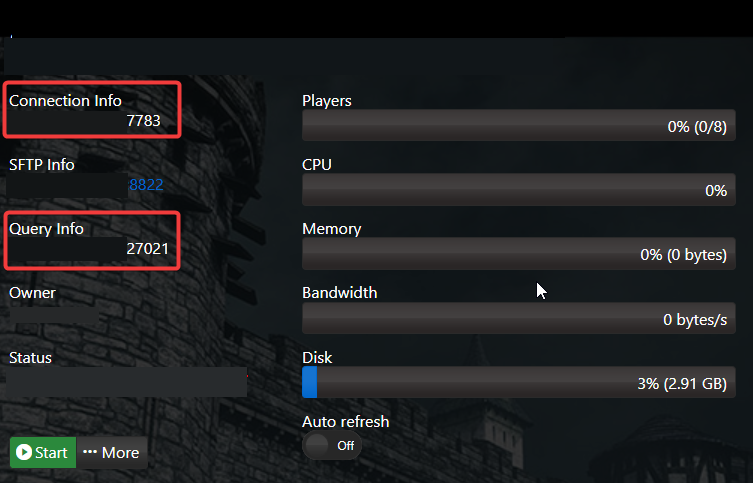
2. Copy the Connection Info/Query Port listed.
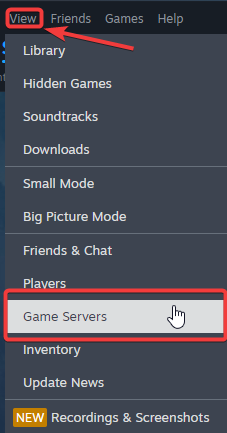
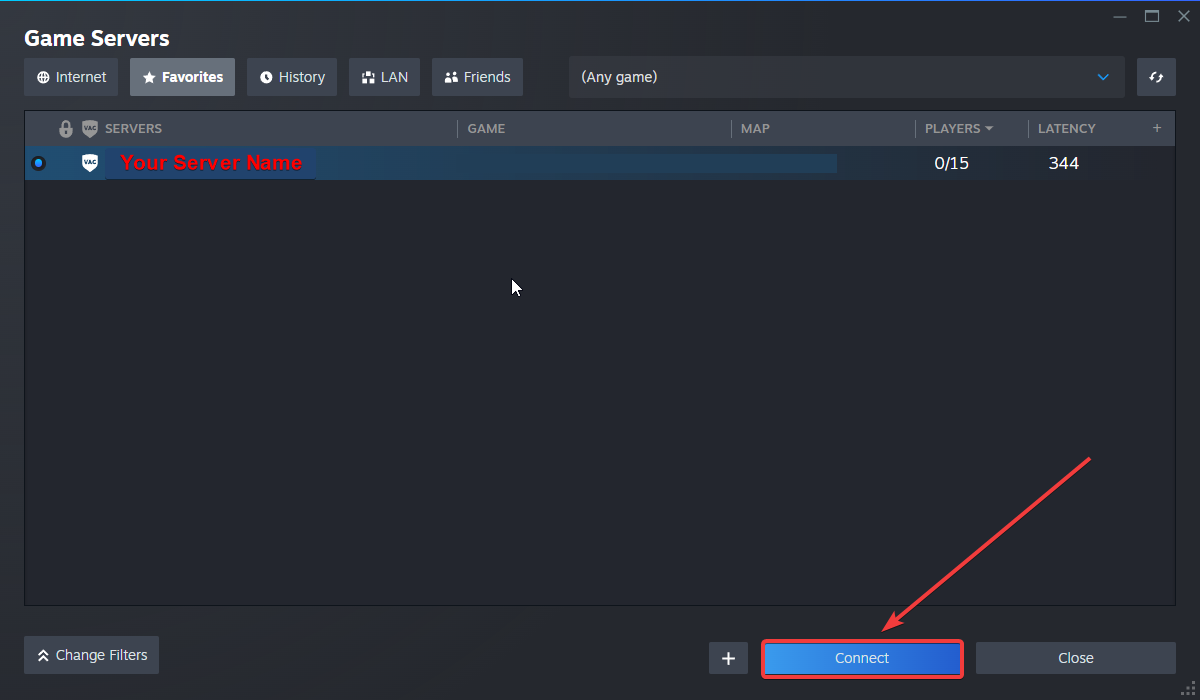
3. Open Steam. Click the View tab, then click Game Servers.
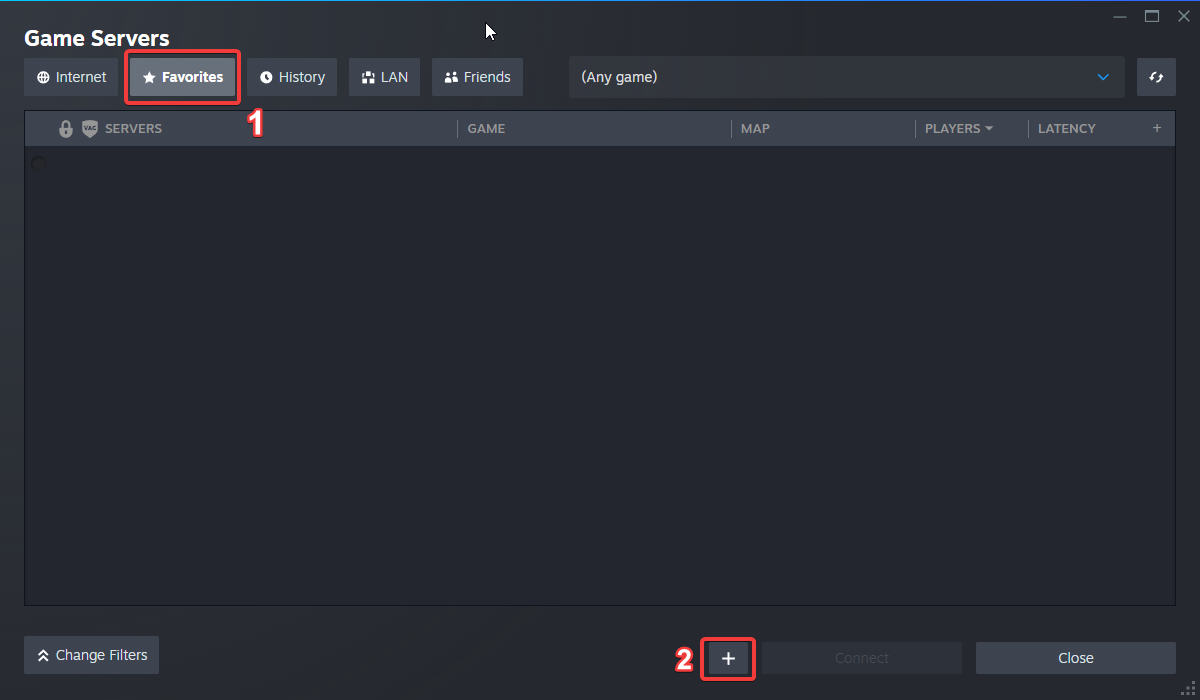
4. Click on the Favourites tab, then click the "+" sign and Add Server.
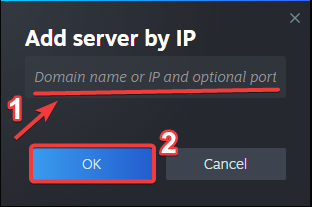
5. Paste in your server's Connection Info or Query Info IP/Port.
6. Click Connect.
Configuring your Server Name and Password
To edit these basic settings, follow these steps:
1. Log in to your Game Control Panel and navigate to your service.
2. Before making any modifications, stop the server from running by clicking the Stop button.

3. Go to the Configuration Files Tab.
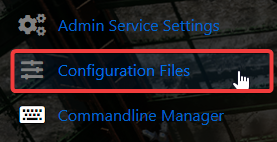
4. For the Configuration Files, select the Config Editor Button.
A pop-up will appear, and you can change the Server Name and Password.
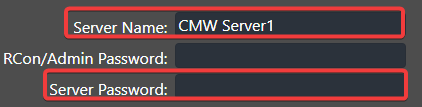
5. After editing, click Save to apply the changes.